Getting Started in Clone Tower
Your first hour in Troll Clone Tower X — from lobby spawn to a serious climb attempt.
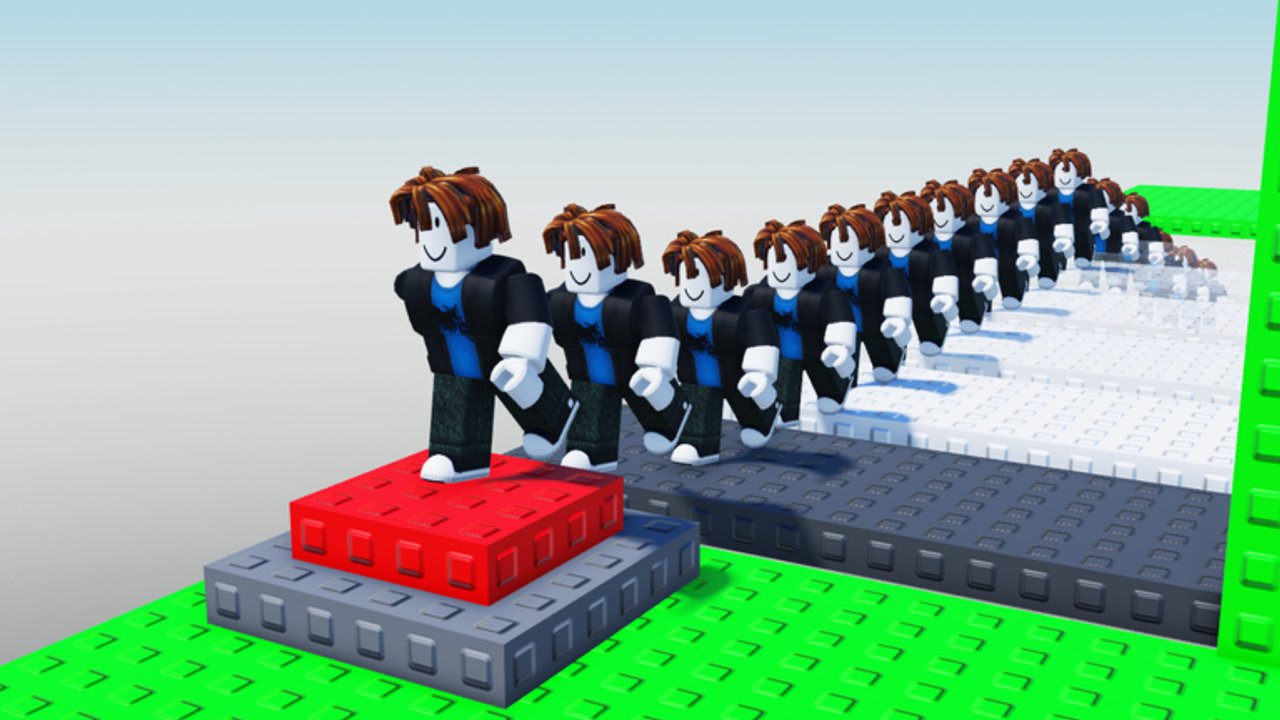
Clone Tower (Troll Clone Tower X) is a Roblox tower obby from Okay Games Studio Inc. Cooperation. Up to 30 players share a server. You spawn into a chaotic vertical challenge where clones follow you, slap tools fling people into the void, and the prize for a clean summit is becoming the CLONE king. This guide is the onboarding path: what to do in the first session, which systems matter immediately, and which wiki pages to open next.
What you are trying to do
The game description is the mission statement. Reach the top. Avoid trolls who want you to fall. Prove you can become the CLONE king. Along the way you will unlock the WELCOME badge just for joining the experience and chase the much rarer WINNER badge for finishing a climb. Community videos also show cash, slap tools, extra clones, and VIP or admin-style paths as longer-term payoffs after strong runs. Do not expect every reward on your first attempt — treat the first hour as orientation.
Before you press play
- Open the official place from the Links Hub or your Roblox continue list so you are on placeId 140293690452727, not a similarly named tower game.
- Like the experience and join the creator group if you want update pings — that is the studio’s stated tip.
- Confirm you are signed into the Roblox account you want to keep. Progress and purchases save across desktop, mobile, and tablet for that account.
- Skim Controls once if you are on touch; jump and camera feel different than keyboard parkour.
First minutes in the lobby
Land, look around, and identify the tower entrance versus any shop or tool UI the current build exposes. Grab whatever default movement comfort you need (camera distance, shift-lock habits on PC). Note where clone-related buttons or purchase prompts appear so you are not hunting them mid-climb. If a code box exists in your build, remember that this wiki currently lists no verified public promo codes for Clone Tower — see the Codes Hub before wasting time on rumor lists from other games.
Your first climb goals
Do not measure success only by summit clears on day one. Use this checklist instead:
- Survive long enough to feel how clones occupy space on platforms.
- Learn which ledges are safe rest spots versus slap killboxes.
- Practice recovering after a knockback without rage-quitting the server.
- Notice whether buying or spawning more clones helps you block paths or just adds lag and confusion.
- Watch how experienced players time jumps when a slap tool is swinging nearby.
When you are ready for a structured summit plan, switch to Reach the Top. When clones feel like a mystery button, open Clone Mechanics.
Early threats you will meet
Other players with slap tools. A single clean hit can send you into the void. Spacing beats greed — see Beat Trolls.
Your own impatience. Skipping camera checks on narrow sections is how most WELCOME-badge players stay stuck mid-tower.
Clone clutter. Clones that follow you can body-block enemies, but they can also crowd the exact pixel you need to land on. Spawn with intent.
Server density. A quiet server teaches routes. A full 30-player server teaches defense. Practice both.
Badges and progression mindset
WELCOME marks that you entered the experience. WINNER marks that you finished the climb that matters. Everything between those badges is practice: better jump timing, smarter clone use, and calmer reactions when someone tries to troll you off a ledge. Because saves travel across devices, you can grind muscle memory on mobile during a commute and attempt a focused WINNER run later on PC.
How creators play the loop
Popular playthroughs (including clone-heavy chaos videos) show a loop of climb, collect resources, invest in slap power or clone count, then return to troll or protect. You do not need infinite clones on day one. Learn the tower geometry first. Spending early cash on tools you cannot aim yet is a common beginner mistake.
Session plan for day one
Minutes 0–10: Lobby orientation, camera comfort, find climb start. Minutes 10–25: Soft climb focusing on safe platforms; ignore revenge slap fights. Minutes 25–40: Experiment with clone spawn timing on a mid-tower ledge. Minutes 40–60: One serious push toward higher sections using habits from Controls and spacing tips from Beat Trolls.
If you wipe, rejoin or respawn and treat the next attempt as data, not failure. Average sessions in tower slap games are short; efficient resets matter more than heroic last stands.
What not to confuse
Clone Tower is not Clone Tower Defense and not every other “troll tower” on the platform. Codes, badges, and reward tables from those titles do not transfer. Stick to this place, this group, and this wiki’s Updates feed when something changes.
Next pages after onboarding
- Controls — bindings and touch tips.
- Clone Mechanics — spawn, follow, upgrades.
- Beat Trolls — slap survival.
- Reach the Top — full climb strategy.
- Guides Hub — full tutorial index.
Finish this getting-started pass, then queue one focused guide per play session until summit clears feel repeatable instead of lucky.
Frequently Asked Questions
Quick answers to the most common Clone Tower questions.
What is the first badge in Clone Tower?
The WELCOME badge is tied to joining the experience. The WINNER badge is the climb completion goal most players chase afterward.
Do my purchases save if I switch from phone to PC?
Yes. Progress and purchases save across desktop, mobile, and tablet for the same Roblox account.
Should I buy clones immediately?
Learn basic movement and a mid-tower route first. Extra clones help once you understand when blocking helps versus when crowding hurts your own jumps.
Are there beginner codes?
This wiki currently lists no verified public promo codes for Clone Tower. Ignore lists copied from Clone Tower Defense or unrelated troll towers.
Where do I go after this guide?
Read Controls next, then Clone Mechanics. Open Beat Trolls when slap knockbacks dominate your deaths, and Reach the Top when you want a full summit plan.